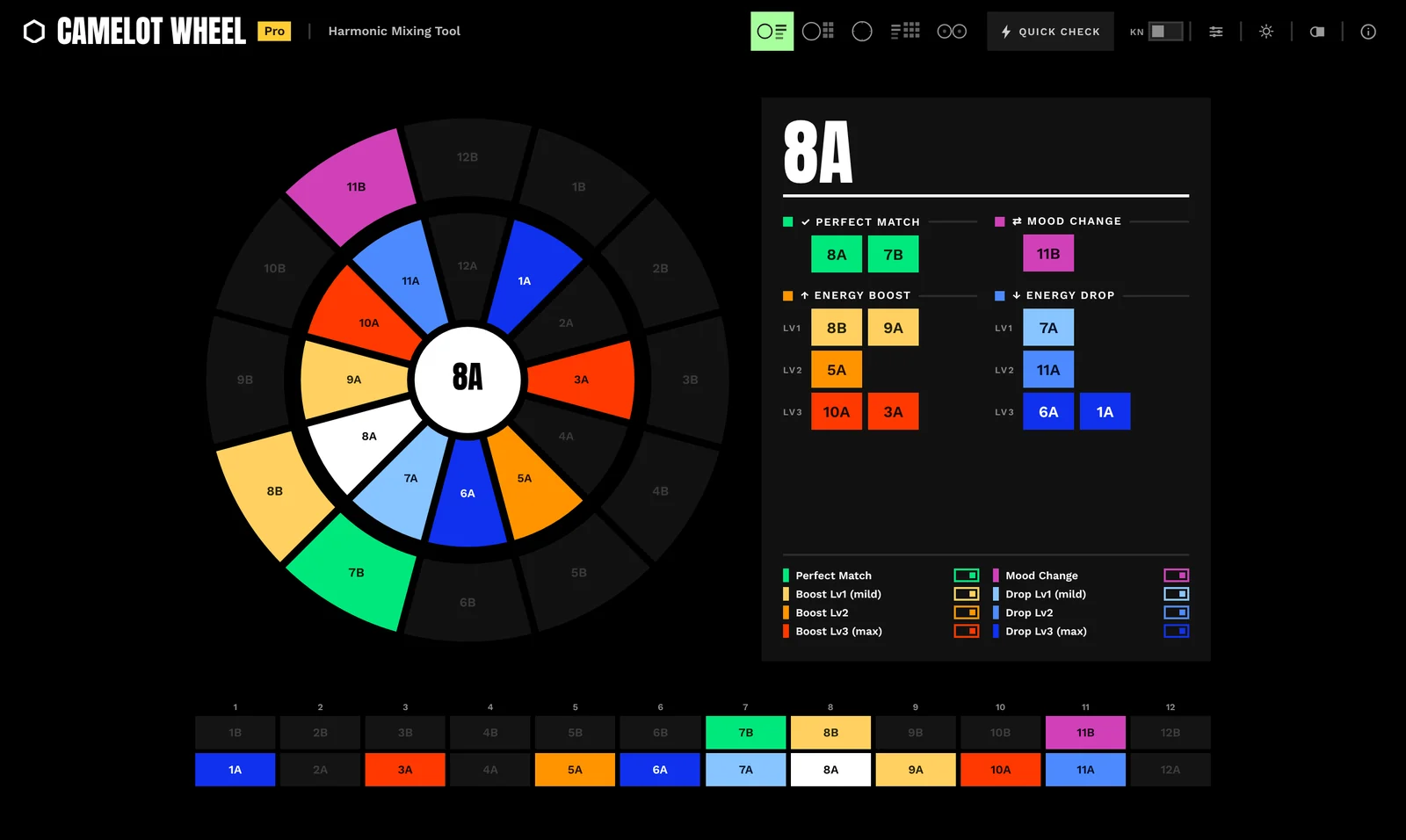
The whole picture at a glance.
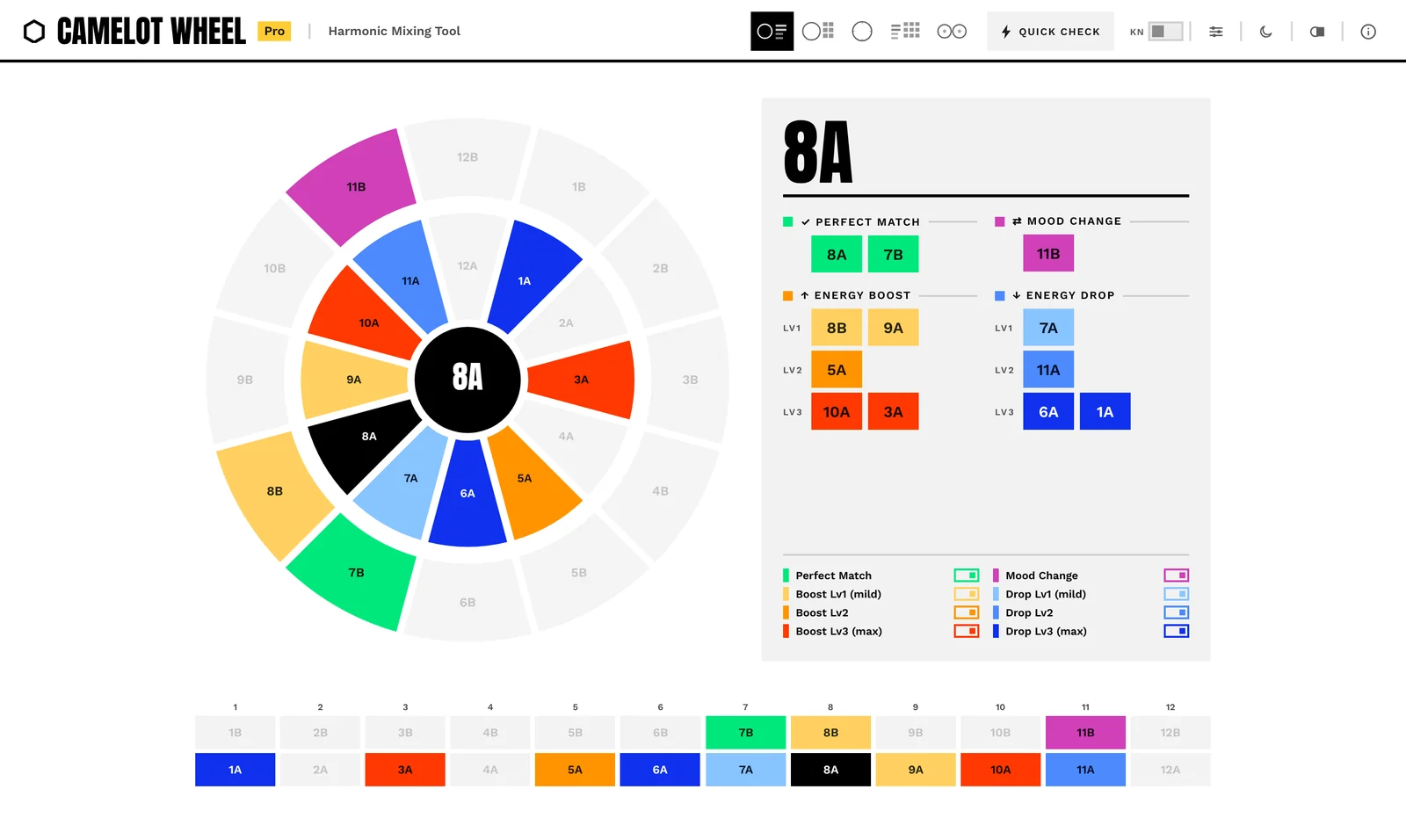
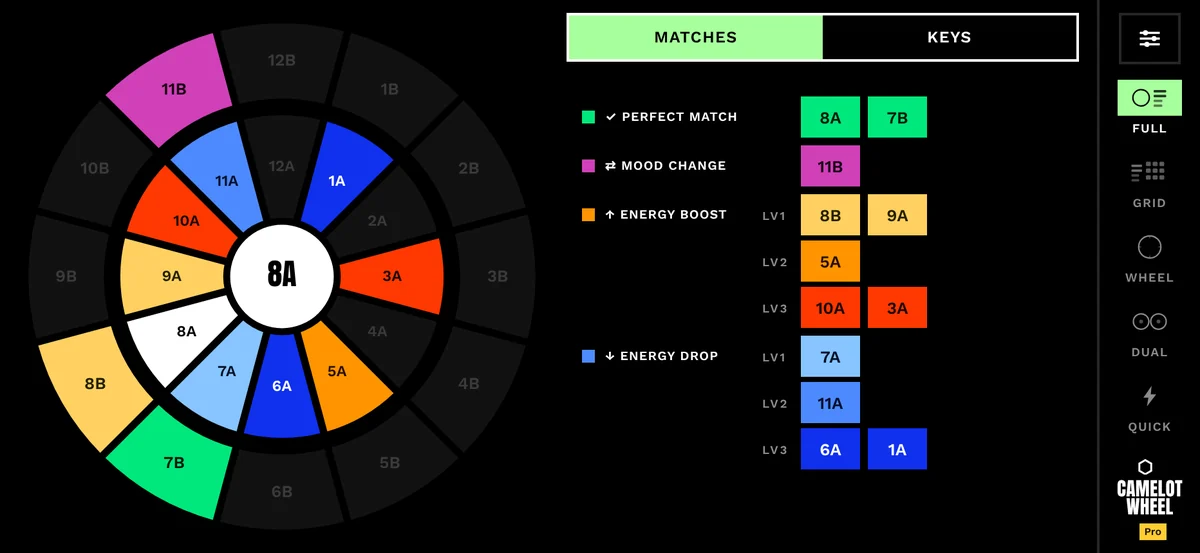
Wheel and match panel side by side. Switch categories on and off to see only the moves you care about right now.
The Camelot wheel, extended.
You know three safe moves.
There are eleven.
Sorted by what they do to the energy.
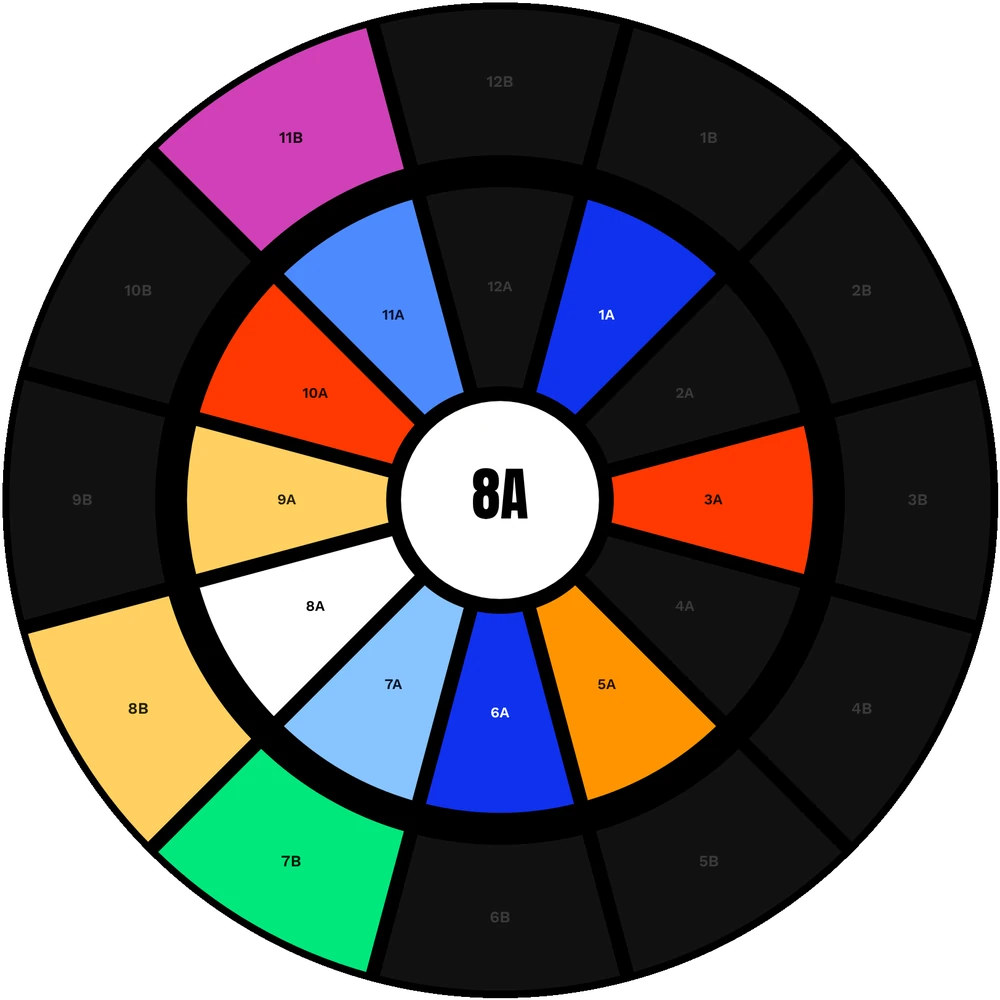
A classic wheel gives you three safe moves. Camelot Wheel sorts all eleven into eight kinds of move, from the deepest drop to the biggest lift. Tap 8A to see it.
Core shows perfect match, mood change and level 1, free. Pro adds levels 2 and 3.
Tap a key and the wheel answers instantly. Everything else stays out of your way.
Wheel and match panel side by side. Switch categories on and off to see only the moves you care about right now.
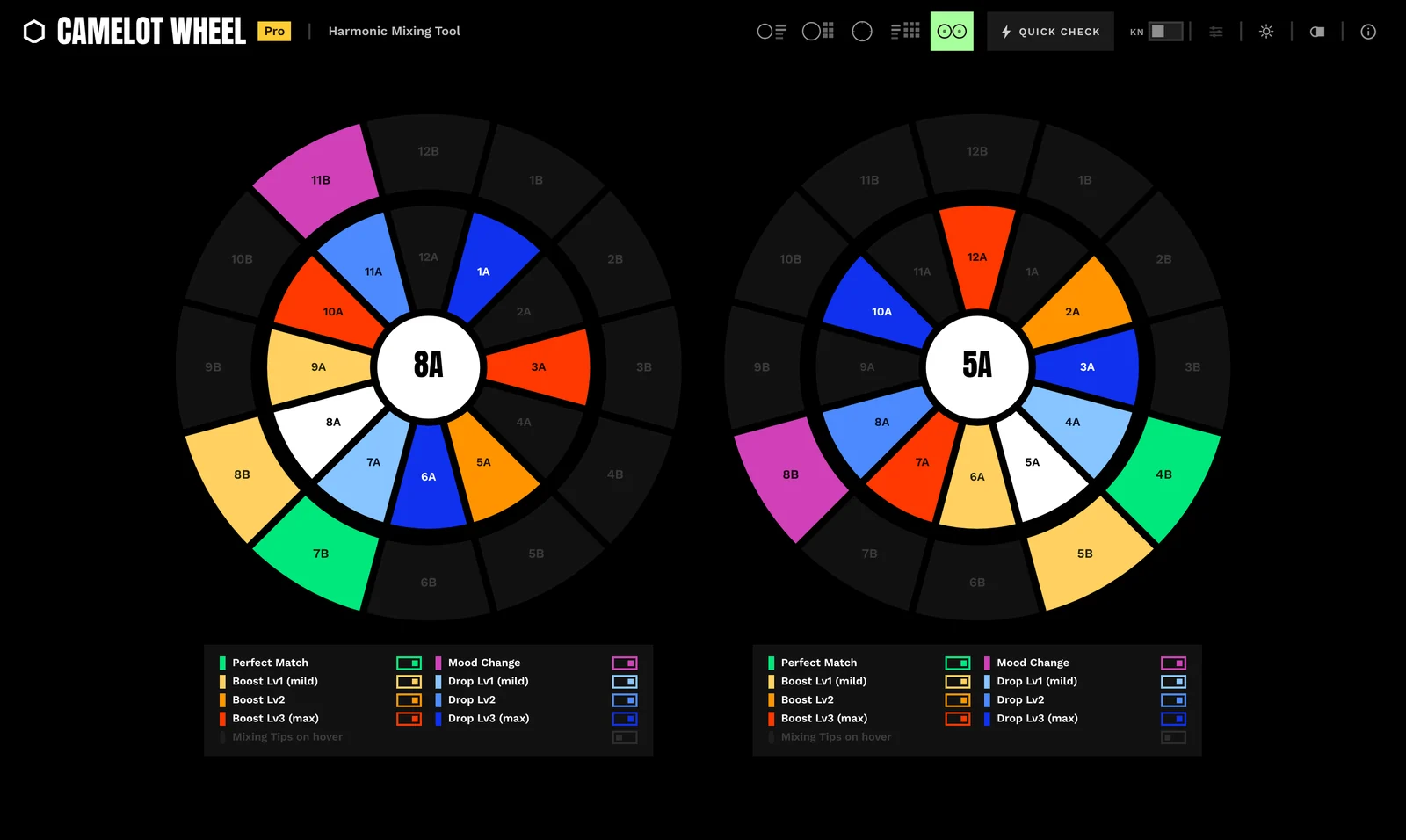
Pro. Keep the key that is playing on one wheel and explore the next move on the other. Each wheel has its own match types.
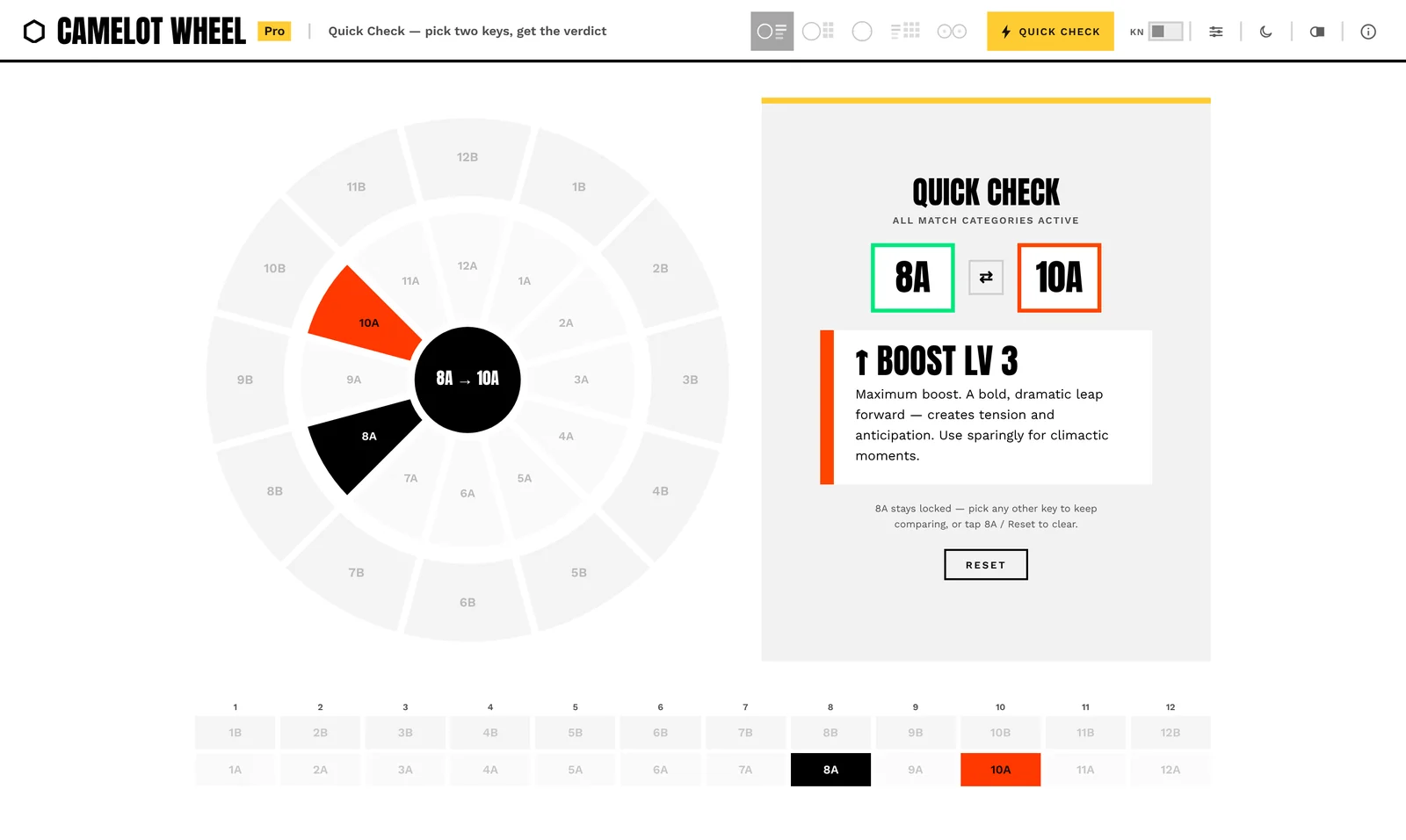
Pro. Already know the next track? Pick both keys and get the match type with a short note on how to use it.
Dark for the booth, light for daylight prep. Your choice is remembered, along with key names.
Made for the laptop next to the decks, the tablet on the stand and the phone in your pocket. Add it to your home screen and it opens like any other app, offline in the booth.
This is Camelot Wheel Core, live and free. Tap a key on the wheel or in the grid.

Now open it on your phone. Scan the code with your camera. Same wheel, made for the thumb.
On your phone, Camelot Wheel opens as its own app: full screen, tab bar at the bottom, offline in the booth.
Open the app How to add it to your home screenCore covers what most Camelot wheels do, for free. Pro adds the full energy map.
Free
No time limit, no account.
Everything you need to mix in key.
€4.99
One-time, no subscription.
Launch price €3.99 for the first 14 days, then €4.99.
The full energy map, for planning sets with intent.
Leave your email and you hear first when Camelot Wheel Pro is available, in time for the launch price of €3.99 (first 14 days, then €4.99).
Examples from 8A (A minor). The wheel does this for every one of the 24 keys.
| Match type | What it does | From 8A |
|---|---|---|
| Perfect match | Same harmonic centre. The smoothest blend you can make. | 8A7B |
| Boost Lv1 | A gentle lift. Natural momentum without changing the feel. | 8B9A |
| Boost Lv2 Pro | A clear step up. Use it to build towards a peak. | 5A |
| Boost Lv3 Pro | Maximum boost. A bold leap forward for climactic moments. Use sparingly. | 10A3A |
| Drop Lv1 | A gentle release into a slightly deeper groove. | 7A |
| Drop Lv2 Pro | A clear cool-down. Good after a peak. | 11A |
| Drop Lv3 Pro | The deepest drop. Resets the room. | 6A1A |
| Mood change | Harmonically linked, emotionally new. Flips the vibe without a clash. | 11B |
No. Camelot Wheel runs in any current browser and works offline once it has loaded. Installing is optional and only gives it its own icon and window:
Yes. Open Camelot Wheel on your phone and you get a layout made for it: full screen, a tab bar with five views, its own landscape layout. It is the same app as on your laptop, so Core and Pro work on both. It isn’t in the App Store or Google Play: you add it to your home screen from the browser in a few seconds (see above).
Yes. After the first visit, everything is stored on your device. It keeps working in clubs with no signal.
No. A match tells you that two keys work together harmonically and what the move does to the energy. Groove, sound and arrangement are up to the tracks and to you. Camelot Wheel is the guide, your ears make the call.
Camelot notation (1A to 12B), the same as most DJ software. Switch on key names to see the musical key next to each code, for example 8A = A minor and 8B = C major.
€4.99, one-time. No subscription. For the first 14 days after launch, Pro costs €3.99. You keep Pro, including all future updates of Camelot Wheel Pro, and can use it on up to 3 devices.
Pro goes on sale soon. Leave your email in the Pro section on this page and you hear first.
No. Camelot Wheel Core stays free, with no time limit and no account.
Yes. If Pro is not for you, you get your money back within 14 days, no questions asked.
There is no account and no advertising tracking. Your settings stay in your browser. Details are in the privacy policy, linked at the bottom of every page.
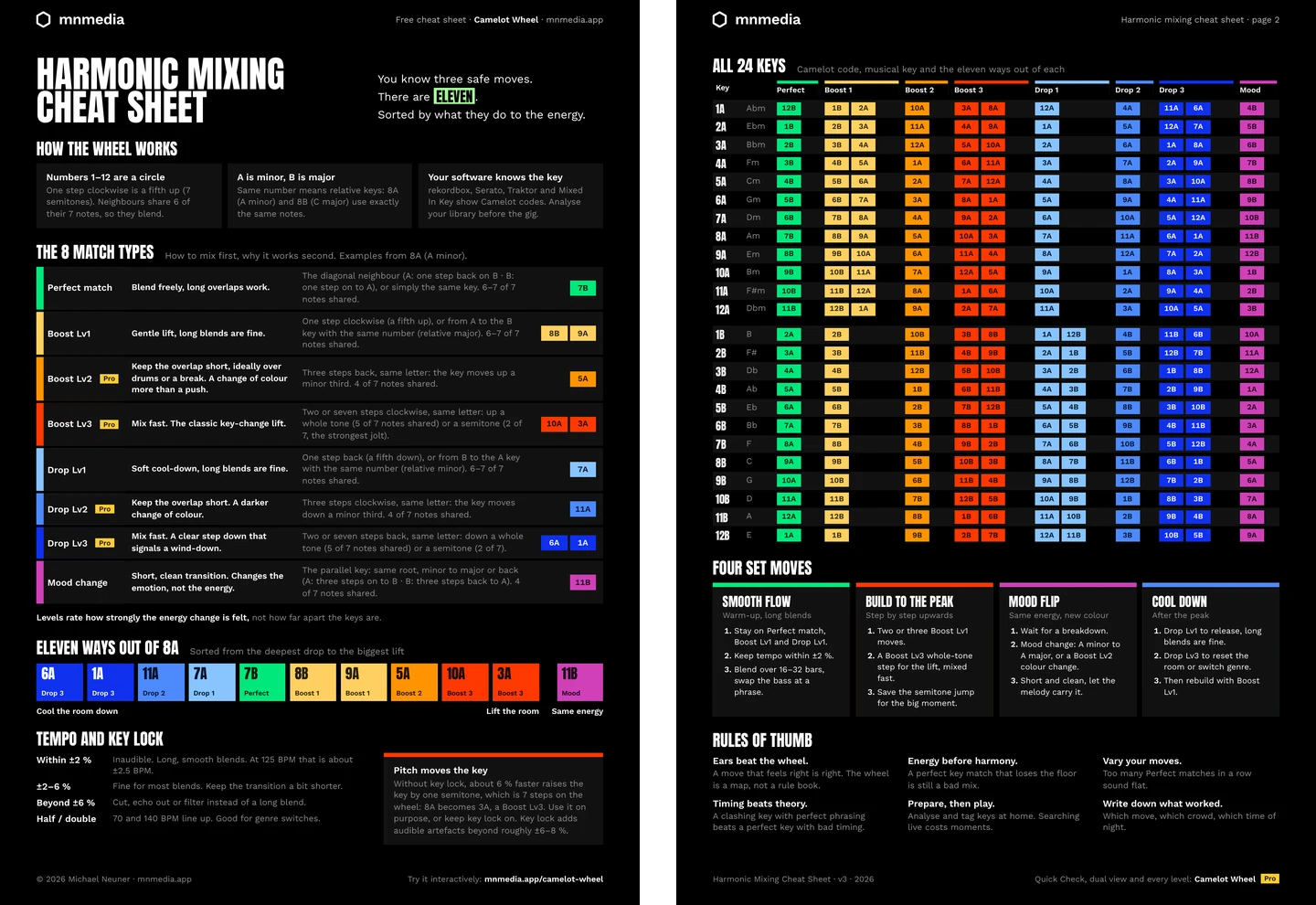
Two A4 pages for the booth: the eight match types, every move for all 24 keys, tempo and key-lock rules, and four set moves. A thank-you for subscribing to our occasional email updates.
Playlist Architect builds complete sets on the same logic: every transition checked with the eight match types. It is in development; the waitlist gets the launch date first and an early-access price.
What Playlist Architect will do